
InsuranceHub · Lebanon · Custom CRM
A lead management CRM built around how a broker actually works
A custom CRM for InsuranceHub, an insurance broker in Lebanon: one place to hold every lead, move it through the broker's own pipeline, keep the activity history, act on WhatsApp in one click, and import large contact lists safely
Built as a Google Apps Script web app on Google Sheets, so the team keeps the tools it already owns


The problem
Thousands of contacts lived in spreadsheets and phone memory, and nobody could see who had been called, what was said, or which leads were ready for sales
WhatsApp was the channel, but every message started with copying a number by hand
What we built
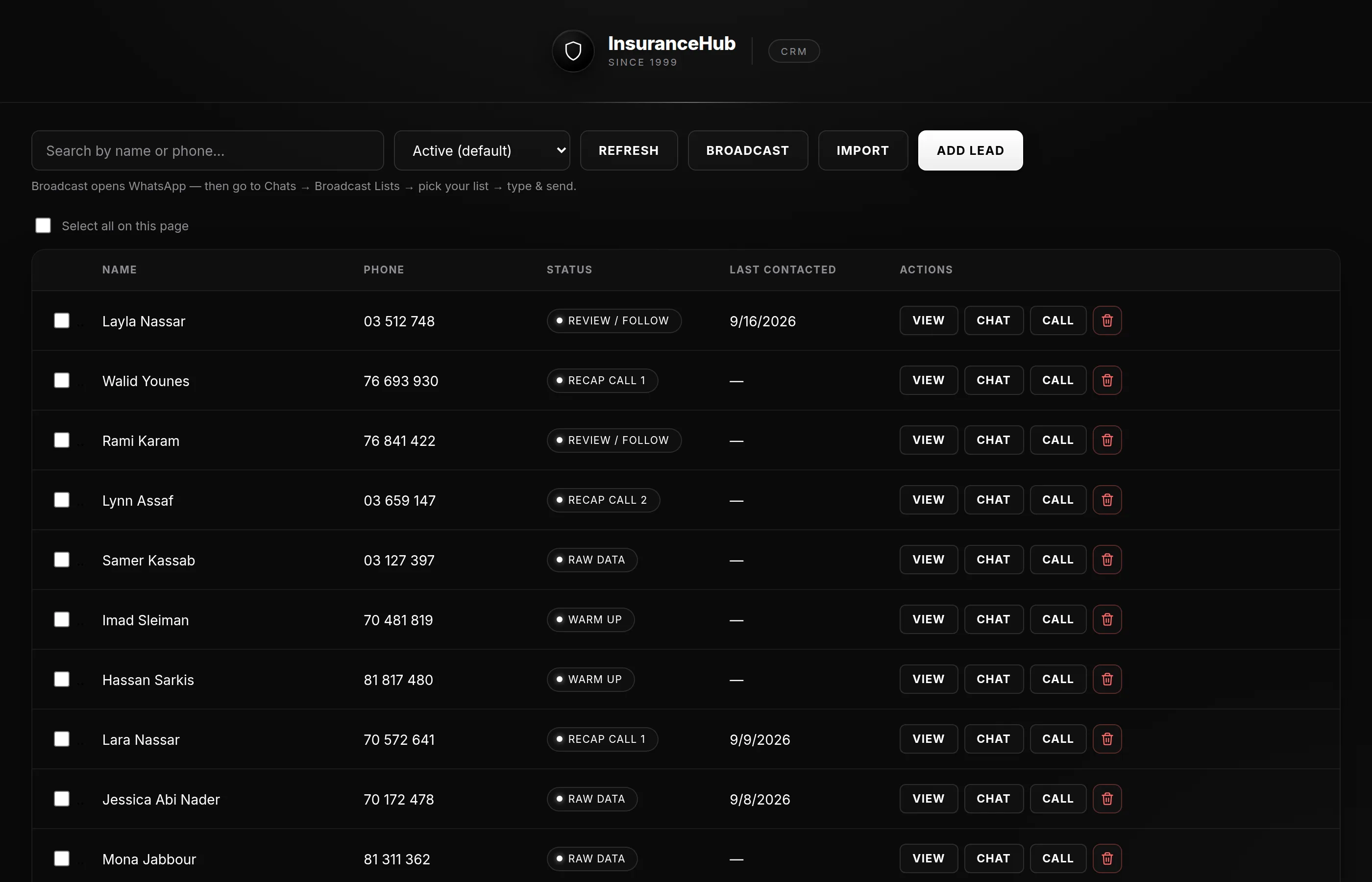
- Lead list with search-as-you-type, status filtering and pagination, designed and tested around an initial dataset of about 3,000 contacts
- The broker's own pipeline: Warm Up, Review / Follow, Recap Call 1, Recap Call 2, Sent to Sales, plus Not Interested; statuses are editable in the sheet without a code change
- Lead detail with inline editing, notes and an activity timeline: calls, WhatsApp messages, status changes, notes, and who did what
- WhatsApp actions from the lead: chat with a prefilled message, call, and a broadcast shortcut, each logged automatically
- Excel and CSV import with automatic column matching, duplicate detection against the file and the existing list, a review step and a downloadable exceptions list
- Bulk operations: change the status of, or delete, a selection of leads
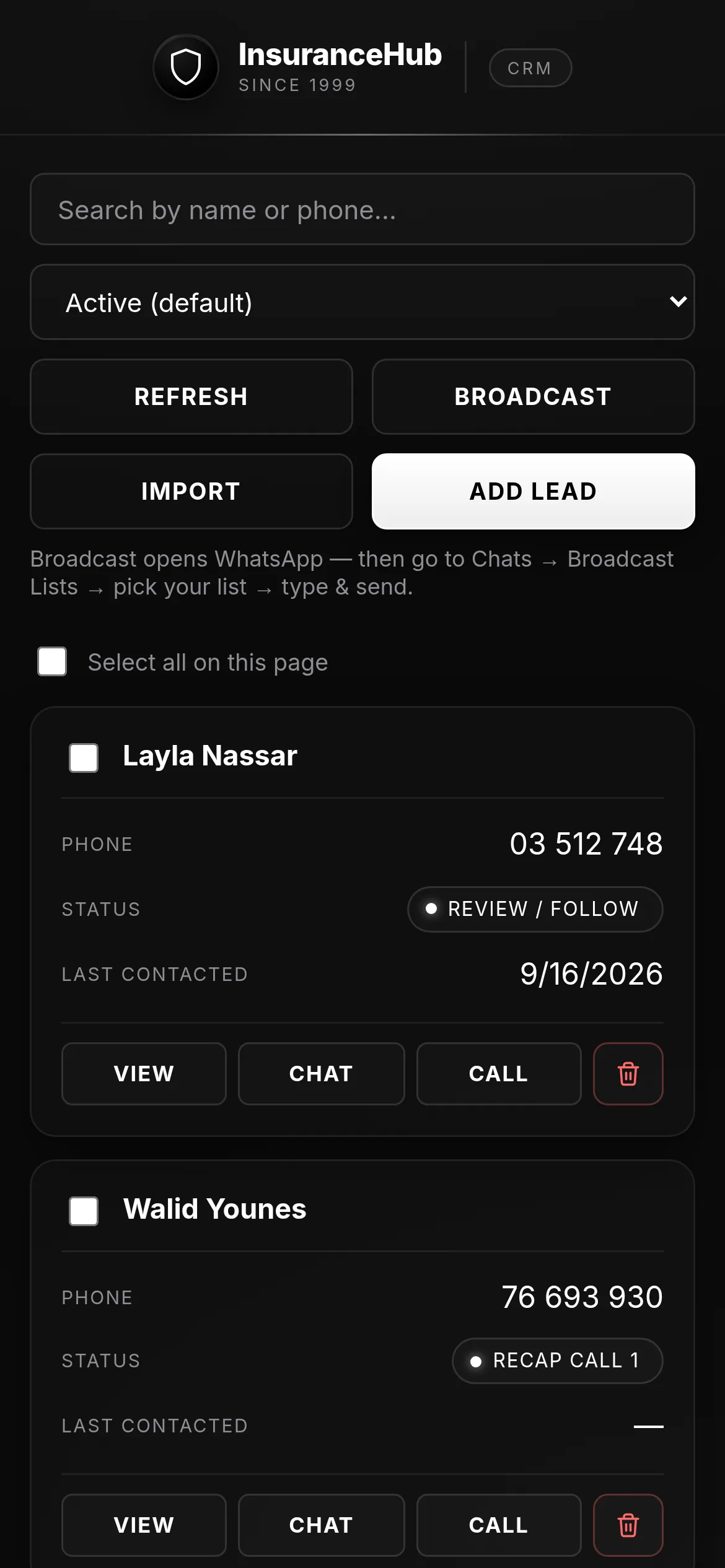
- A mobile layout so the list works from the phone
Inside the system
Custom CRM for an insurance broker
01Inside the system
The lead list
Every lead in one list, searchable as you type, filtered by status, one hundred to a page, with finished and dead-end leads hidden by default
02Inside the system
Open a lead
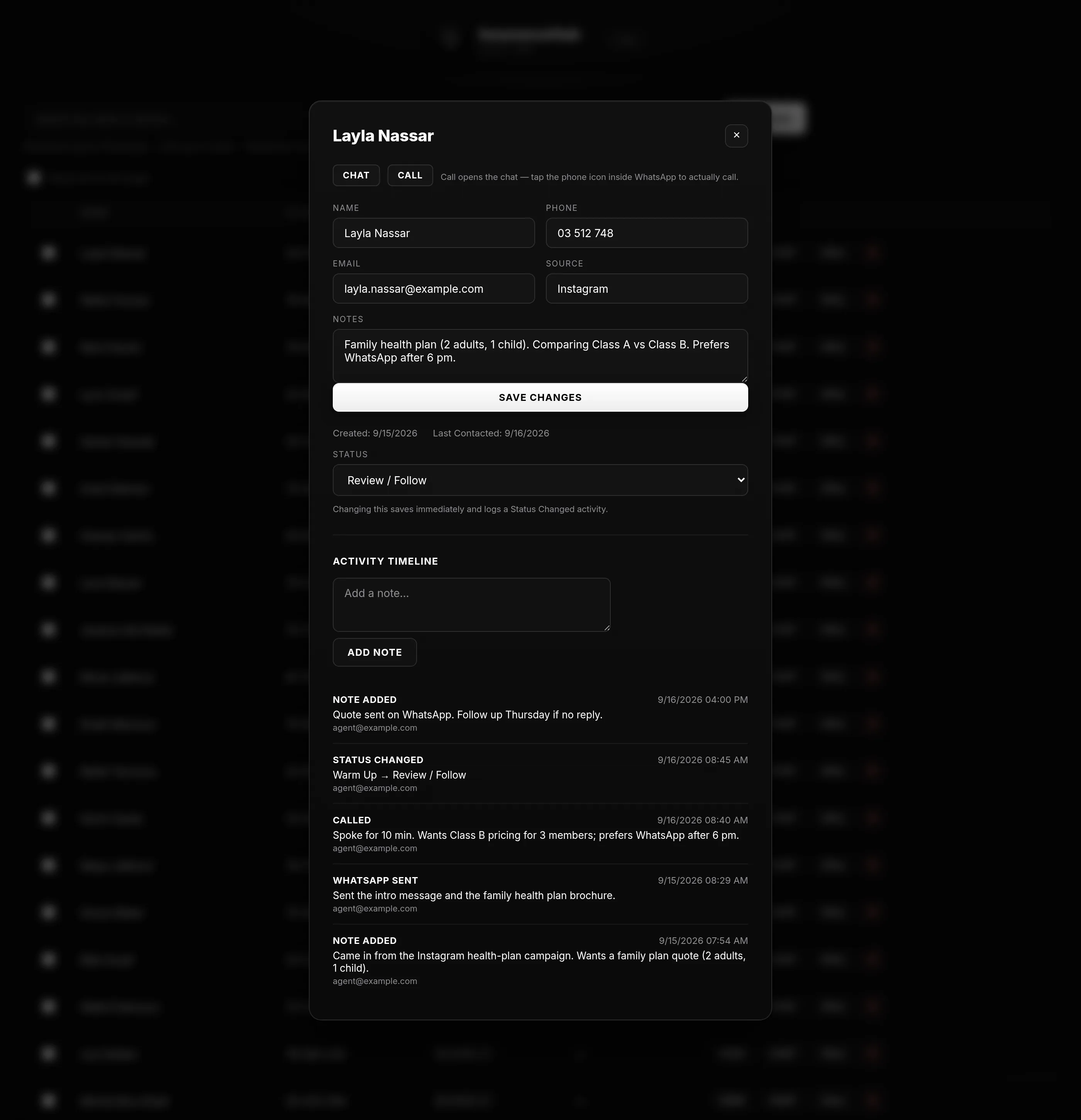
Contact details edit in place, and the activity timeline shows every call, message, note and status change, with who did it and when
03Inside the system
Move it through the pipeline
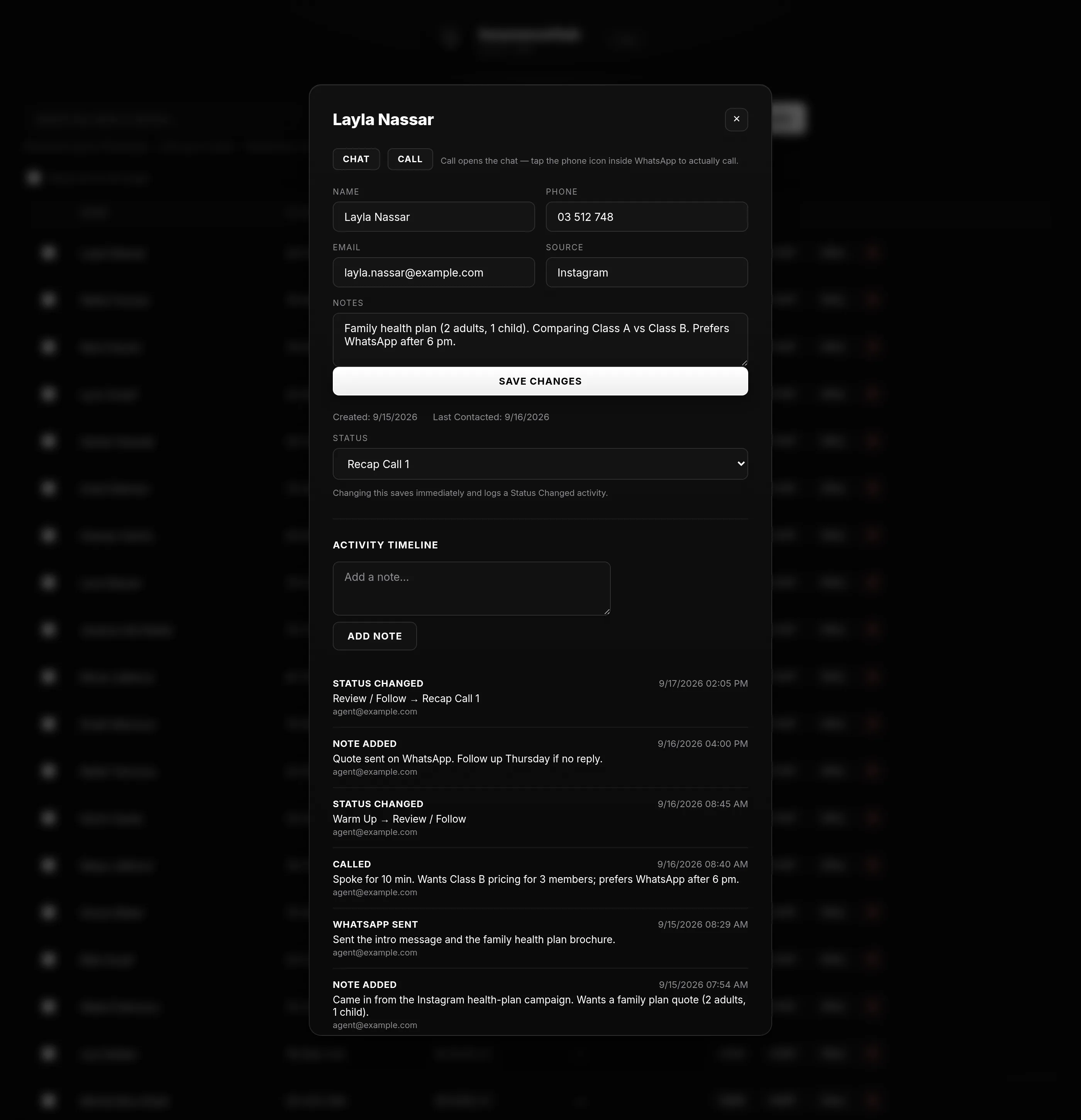
Changing the status saves immediately and writes a timeline entry, so the history of a lead is never a matter of memory
04Inside the system
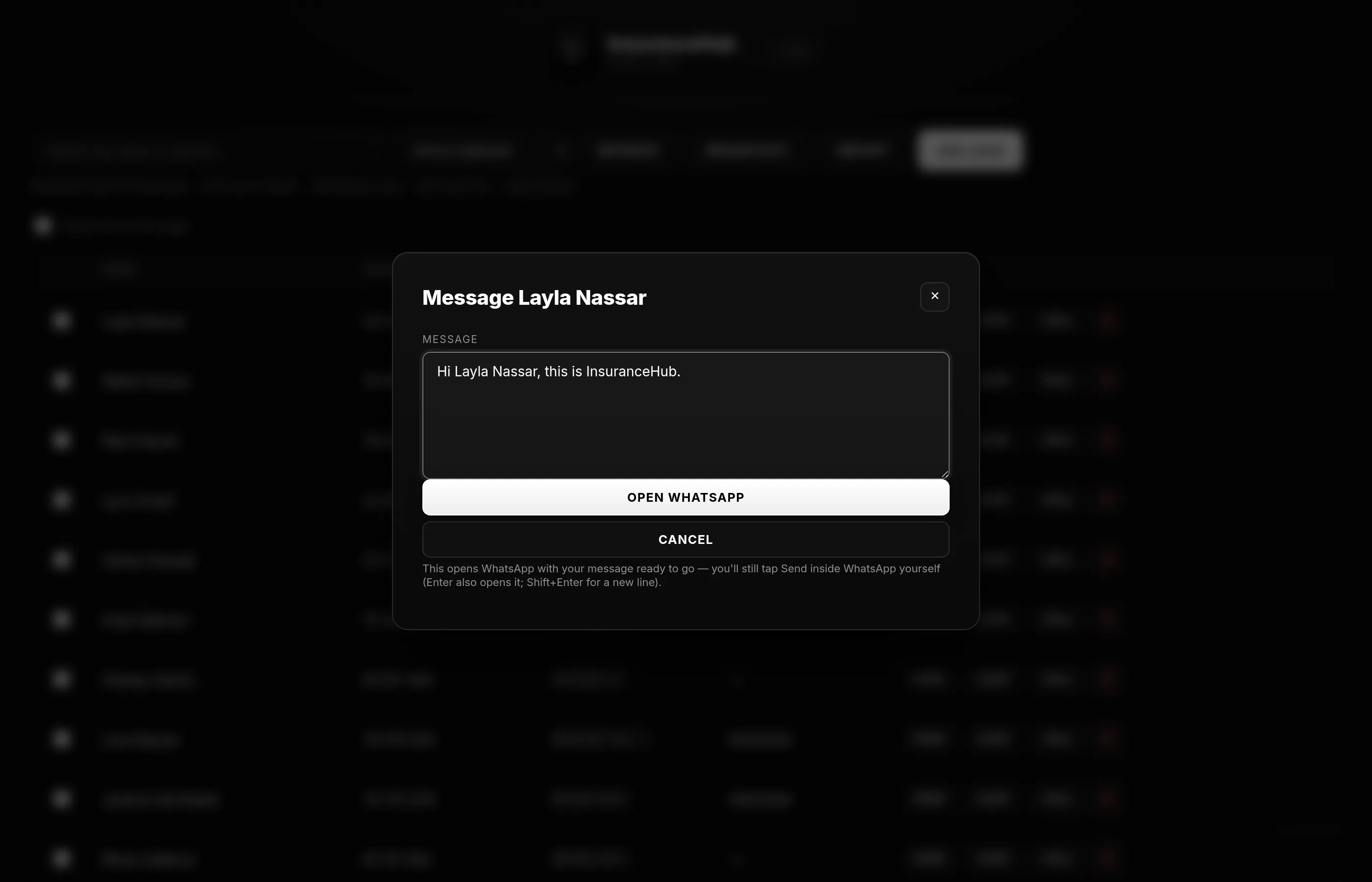
Act on WhatsApp
Chat opens WhatsApp with a prefilled message to the lead's number, Call and Broadcast are one click away, and each action is logged and stamps the last-contacted date
05Inside the system
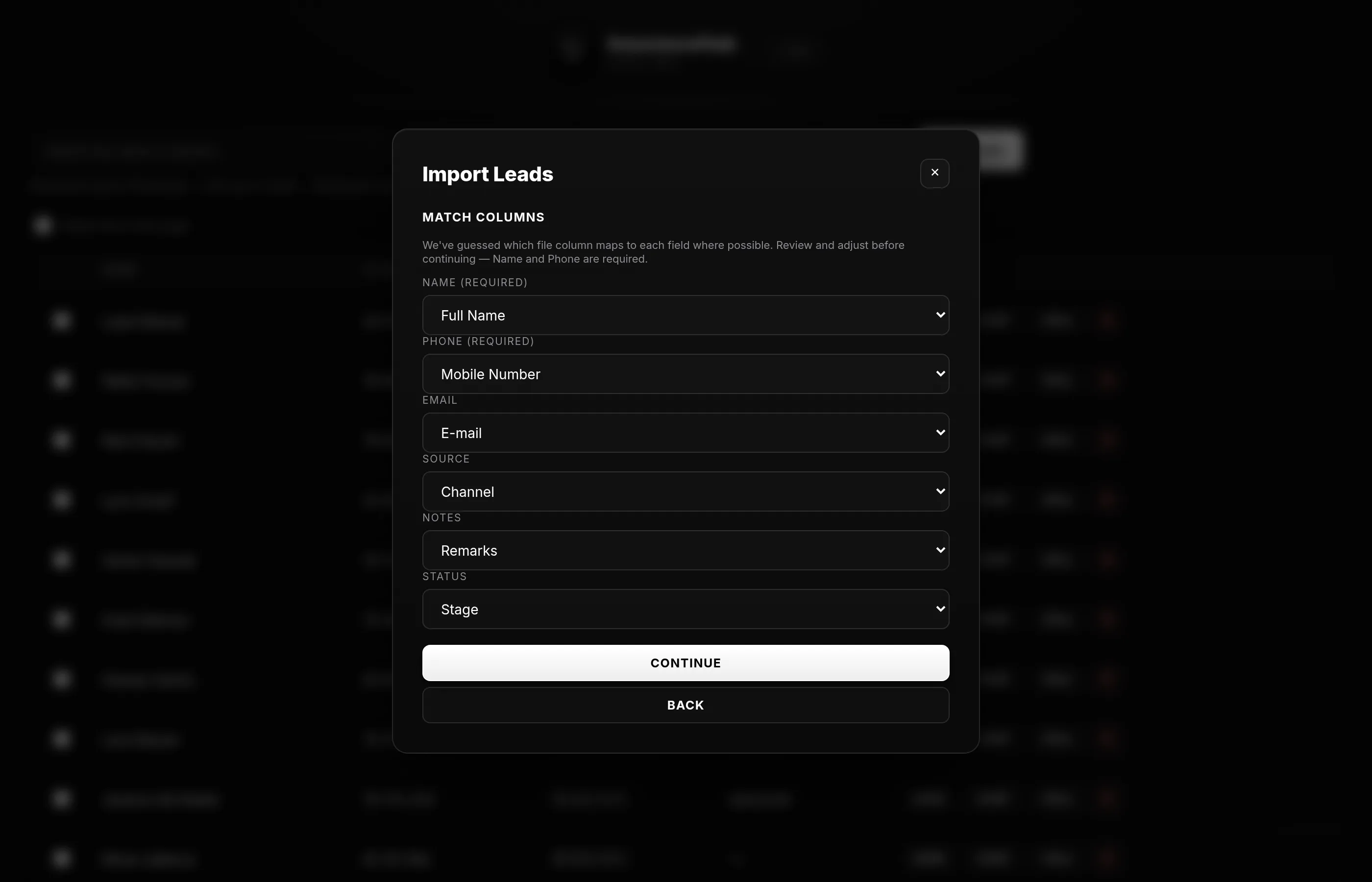
Import a list
Upload an Excel or CSV file and the columns are matched automatically and can be corrected, while rows already in the system are recognised by phone number and skipped
06Inside the system
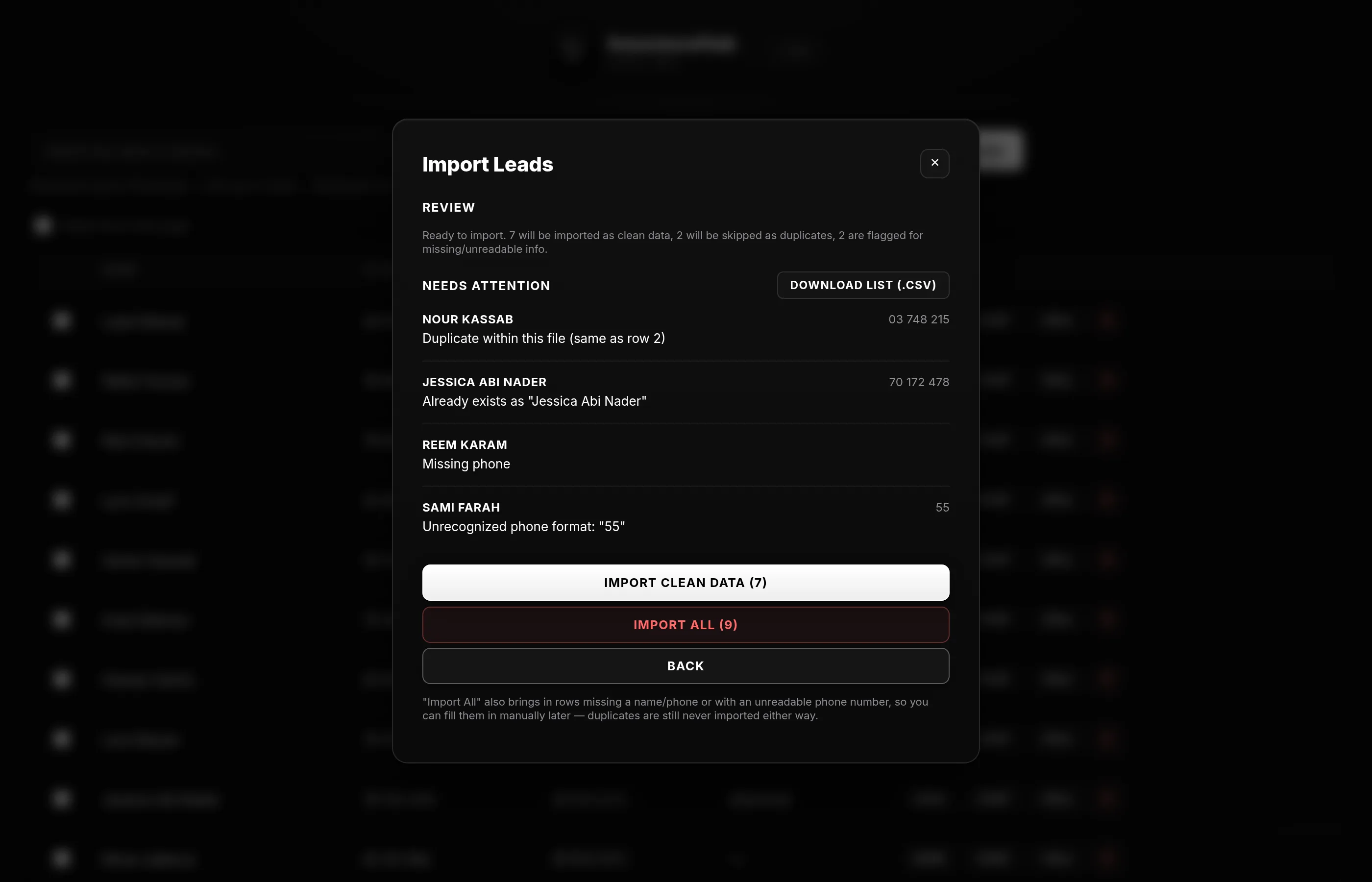
Review before it lands
The review step separates clean rows, duplicates and rows needing attention, with a downloadable list of the exceptions, and the import can be re-run safely
07Inside the system
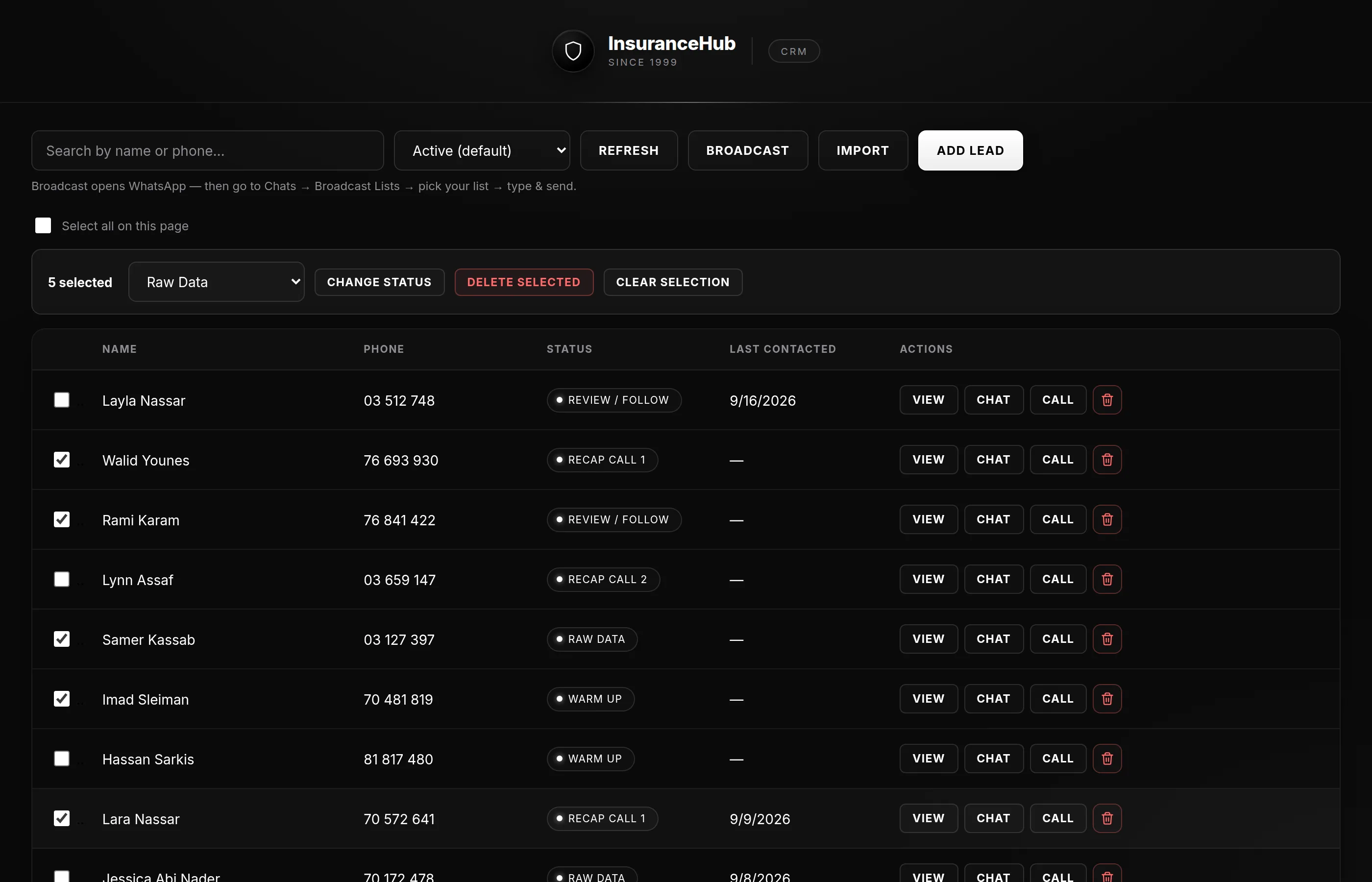
Work in bulk, and from the phone
Select a page of leads to change their status or delete them together, and below tablet width the list becomes cards that work with a thumb
What the system does
- Lead list, search and filters
- Status pipeline
- Activity timeline
- WhatsApp chat, call and broadcast
- Excel / CSV import with de-duplication
- Bulk status change and delete
How it is built
- 01
Google Sheets as the data layer: Leads, ActivityLog and Config tabs
- 02
A Google Apps Script web app with a small server API of eleven functions; reads and writes are batched
- 03
A custom HTML, CSS and JavaScript front end; search, filtering and pagination run in the browser
- 04
Private deployment under the broker's own Google account
Technologies
- Google Apps Script
- Google Sheets
- HTML / CSS / JavaScript
- SheetJS
- WhatsApp deep links
Services involved

Let's find where your business is losing time
A strategy call with the founders, where we look at how you work today and where a connected system would actually change things